

I have worked in IT and cybersecurity for a long time. And one of the things I keep seeing over and over is people underestimating what it actually means when their email gets compromised. Most people think it is just a password problem. You change the password and that is the end of it. But that is rarely the full story.
When your email account is accessed by someone who should not be in it, a whole chain of events begins that most users never even notice. The attacker is not just reading your messages. They are gathering data, mapping your connections, looking for ways to move from your inbox into your finances, your accounts, even your workplace. This post walks you through exactly what happens, in plain language.
The moment access is gained
The first thing an attacker does when they get into your email is stay quiet. This is actually one of the most important things to understand. They do not immediately send spam or drain your bank account. They sit. They read. They learn your patterns, who you talk to regularly, how you write, what services you are subscribed to, and what your name looks like in a signature. This phase is called reconnaissance and it can last days or even weeks.
Think about someone like a regular office worker named Daniel. He gets a phishing email that looks like a Google sign-in page. He types his credentials without thinking twice. Within hours someone in another country is going through three years of his emails. They are reading his conversations with his bank, his insurance provider, his HR department. Daniel has no idea any of this is happening.
Attackers often set up silent email forwarding rules inside your account so that even after you change your password, copies of incoming messages keep going to them. This is one of the first things to check and one of the last things most people think to look at.
Your inbox is a master key
Here is something that does not get talked about enough. Your email is not just a communication tool. It is the recovery point for almost every account you own. Your streaming subscriptions, your online banking portal, your shopping accounts, your social media profiles. All of them allow you to reset your password through your email. Once someone controls your inbox they effectively control everything attached to it.
What attackers usually do is search your email for words like “welcome”, “account”, “subscription”, and “receipt”. Those searches alone give them a map of every service you use. From there they start requesting password resets one by one. By the time you realize something is wrong they may have already taken over accounts that have your saved credit card details or your home address.
The contact list problem
Your contacts are extremely valuable to a bad actor. They are people who already trust you. If someone receives a message that appears to come from your email address asking for a favour or clicking a link they are far more likely to engage with it than they would with a cold email from a stranger. This is how compromised email accounts get used to spread phishing attacks further.
I have seen cases where an attacker waited until a business owner was on holiday. Then they emailed that person’s accounting team from the compromised account requesting an urgent wire transfer. The accountant thought it was legitimate because the email looked exactly right and the tone matched. These attacks are called business email compromise and they cost organisations billions of dollars every year.
What changes get made inside your account
Beyond reading your emails and resetting your passwords elsewhere, attackers often make silent changes inside your actual account settings. They add a forwarding address that copies every email you receive to an external account they control. They may change your recovery phone number or backup email to something they own so that even if you try to do account recovery yourself you hit a wall. They sometimes create filters that automatically delete security alerts from reaching your inbox so you never see warning messages from your bank or from the email provider itself.
These changes are designed to be invisible to you during normal use. You open your inbox and everything looks normal. Your emails are still arriving. Nothing seems off. Meanwhile every message coming in is being duplicated and sent somewhere else. This is why just changing your password after a compromise is not enough on its own.
When attackers impersonate you in real time
One of the more sophisticated things that happens in a targeted attack is live impersonation. The attacker gets into your account and instead of being passive they start a conversation with someone important in your life. They might continue an existing thread you had with a supplier or a colleague. Because the conversation is already in your account they have full context. They know what was said before. They know how you sign off your messages.
This is particularly dangerous in a professional setting. Imagine your email gets compromised and there was already an ongoing conversation with a vendor about a contract renewal. An attacker can step into that conversation and redirect payment details to an account they own. The vendor sends the money thinking they are sending it to you. By the time anyone notices the correct payment details were swapped the money is already gone.
If you ever receive a message from someone asking you to verify payment information or change bank details via email alone, always confirm by phone using a number you already have on file. Not a number included in that same email.
The cleanup is harder than people expect
When someone discovers their email has been compromised and they finally take action the cleanup process is more involved than most people realise. You need to change your email password. But you also need to review all connected accounts and change passwords there too. You need to check your email settings for any forwarding rules or filters that were not set up by you. You need to enable two-factor authentication if you had not already done so. You need to review which third-party apps have access to your email and revoke anything suspicious or unnecessary.
If the breach happened on a work account the situation becomes more serious. Your IT department needs to be involved immediately. Depending on what information was in your inbox there may be data protection implications and proper incident response procedures to follow. A compromised work email is not just a personal problem at that point.
Why two-factor authentication matters more than a strong password
I know people are tired of hearing about two-factor authentication. But the reason people in cybersecurity keep bringing it up is that it genuinely changes the equation for attackers. A strong password protects you from someone who steals or guesses your credentials. Two-factor authentication protects you from someone who has already done that successfully. Even if an attacker has your exact password they cannot get in without also having access to your phone or authentication app.
Most email services support it now. Google has it. Microsoft has it. Yahoo has it. Setting it up takes about three minutes and the impact on your daily login experience is minimal. A single extra tap when you sign in from a new device is a small inconvenience compared to the alternative.
Signs that your email may already be compromised
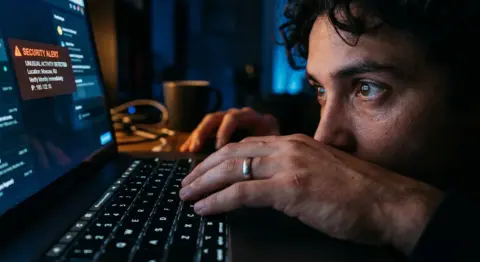
There are a few signals worth paying attention to. If you start getting password reset emails for accounts you did not request a reset on that is a red flag. If your contacts are telling you they received strange messages from you that you did not send that is a clear sign. If you notice your email provider sending security alerts about sign-ins from unfamiliar locations or devices take that seriously. If you notice emails you sent that you have no memory of sending look into it right away.
Sometimes the signs are subtle. You might notice emails in your sent folder that do not look familiar. You might see that a filter you never created is suddenly sitting in your settings. These small things are worth investigating even if they turn out to be nothing.
The honest reality is that most people find out their email was compromised weeks after it happened. The attacker is long gone by then and the damage is already done. The best protection is prevention and staying ahead of it means treating your email like the important access point that it genuinely is.
If you are reading this because something felt off about your account recently go and check your settings now. Look at your forwarding rules. Check your connected apps. Enable two-factor if it is not on. Do not wait until you have more evidence. In this space the quiet before the storm is usually the storm.